
TRADE MATE V1 / THE ORIGIN STORY
When every second matters.
A dedicated trading keypad and its connected companion software.
Explore the keypad ↗ TRADE MATE V1YOUR TRADING COMPANION
TRADE MATE V1 / THE ORIGIN STORY
A dedicated trading keypad and its connected companion software.
Explore the keypad ↗A dedicated trading keypad.
A connected desktop companion.
One instinctive workflow.
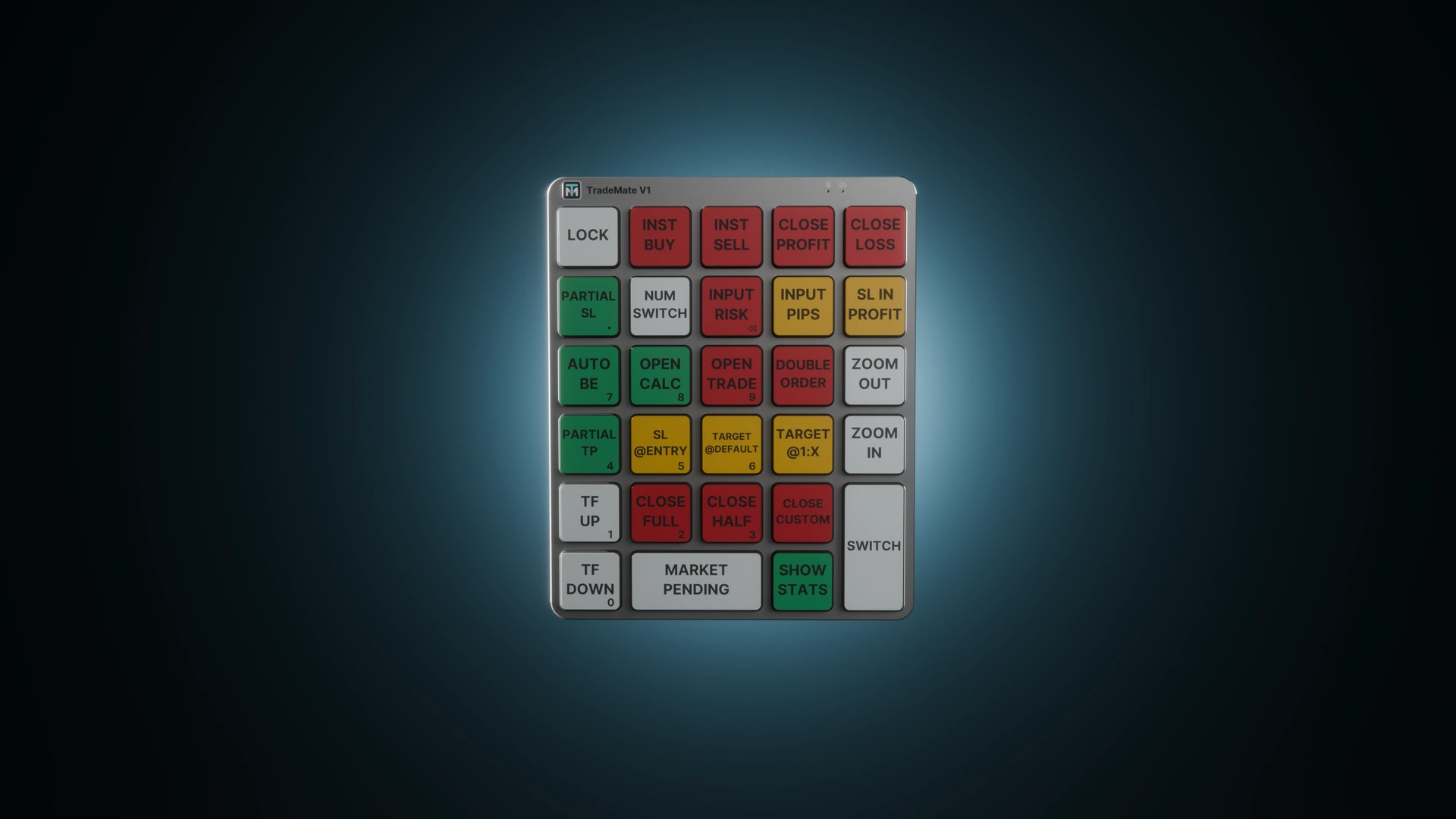
FROM INTENTION TO ACTION
Trading is already complex. Your controls shouldn’t be. Bring planning, execution and position management together—with a physical key for the actions that matter.
SEE TRADE MATE IN ACTION
Explore the workflow, dedicated controls, saved profiles and the difference a keypad makes.
01 / THE WORKFLOW
See how Trade Mate brings your trading controls and calculations into one connected workflow.
00:34 / SCROLL TO EXPLORE02 / SPEED
Discover dedicated controls for the moments when you need to act, manage a position or close a trade.
00:29 / SCROLL TO EXPLORE03 / PROFILES
See how profiles keep your saved settings together so you can return to the setup you need.
00:31 / SCROLL TO EXPLORE04 / VERSUS
Watch Trade Mate V1 Versus for a closer look at the trading workflow with dedicated keypad controls.
01:01 / SCROLL TO EXPLORE01 / THE HARDWARE
Drag to rotate. Press a key.
See what your next move could do.
PRECISION, AT YOUR FINGERTIPS
Your decisions. Your levels.
Dedicated controls to bring them together.
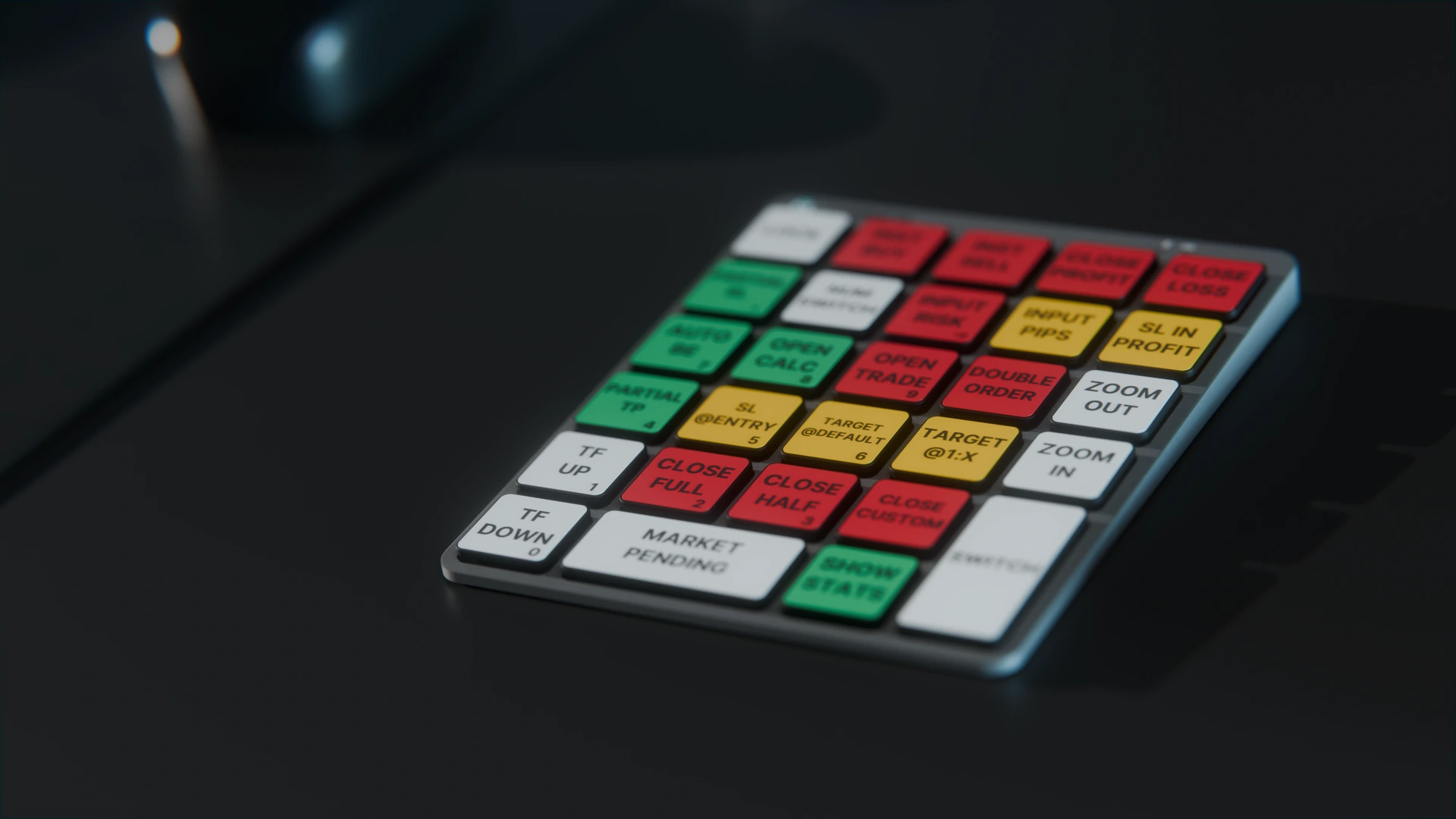
01 / CALCULATE
Open the calculator to review your position size, stop loss and target before placing the order.
02 / RISK MANAGEMENT
Bring entry, stop loss and take profit into one trade plan. Choose the risk and levels that fit your setup.
02 / THE COMPANION

Two parts.
One Trade Mate.
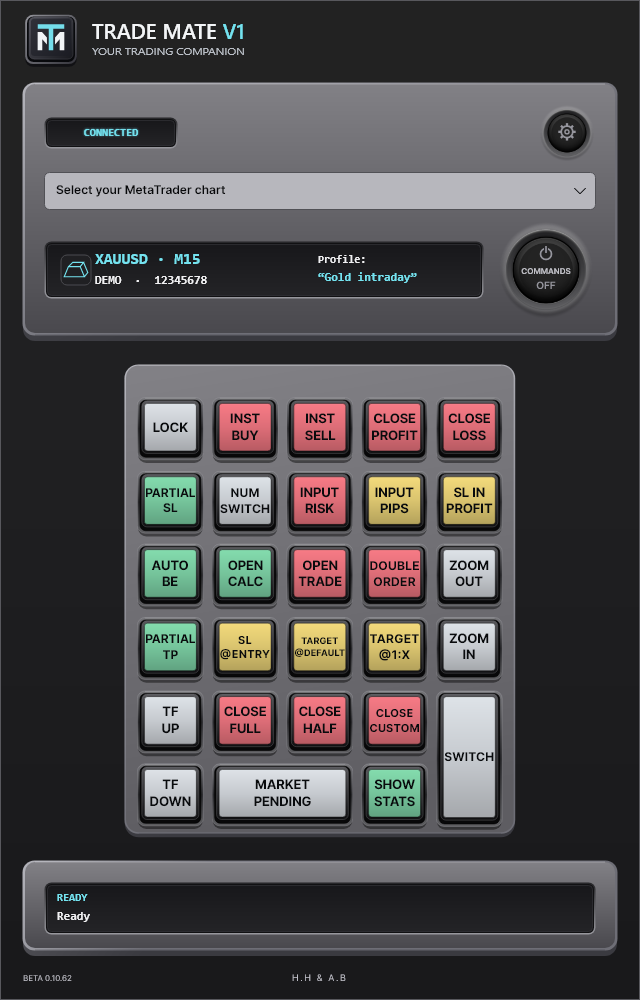
The keypad is your interface. The desktop app and MetaTrader 5 Expert Advisor connect each press to your trading workspace.
Review risk, position size, stop loss and take profit together. Save instrument profiles for the way you trade.
WINDOWS DESKTOP · METATRADER 5
DEMO & LIVE ACCOUNTS · BROKER PERMISSIONS APPLY
ONE PRODUCT. THE COMPLETE EXPERIENCE.
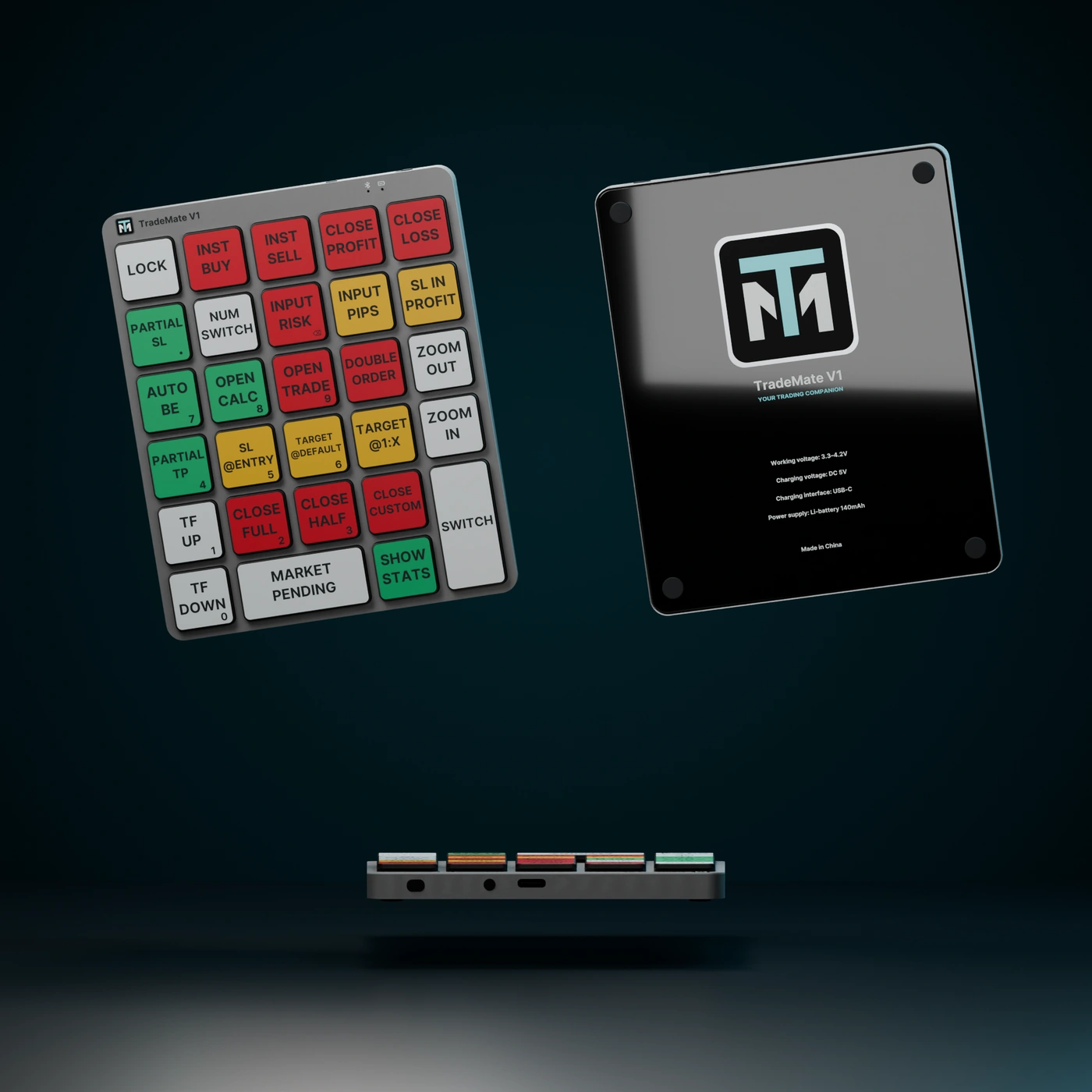 HARDWARE + COMPANION SOFTWARE
TRADE MATE V1
The physical keypad and the software designed for it. Everything begins with your Trade Mate.
Checkout is being prepared. Orders are not open yet.
Shipping and applicable taxes will be shown before payment.
Purchase your keypad using your email address.
Receive a single-use activation link at your purchase email.
Activate your account and connect up to two computers. Your year starts on activation.
A LITTLE CLARITY
Questions about your Trade Mate?
Contact details coming soon.Yes. The $89 package includes the physical Trade Mate V1 keypad and one year of companion-software access for up to two computers. Software access is for verified keypad buyers.
A Windows computer, a Bluetooth connection and MetaTrader 5 with the Trade Mate Expert Advisor installed. Your broker and terminal must permit the trading actions you use.
Your one-year term starts when you activate your purchase, rather than while the keypad is in shipping. Renewal details will be confirmed before orders open.
The planned buyer account will let you manage two registered computers. Remove an old computer before connecting a replacement.
You choose your setup and actions. Armed management rules, such as break-even and partial exits, can act when their conditions are met while the EA is running. Trade Mate does not choose a strategy or guarantee returns.
YOUR TRADING COMPANION
Plan your risk. Act with clarity.
Your decisions, within reach.